how to register-turrit
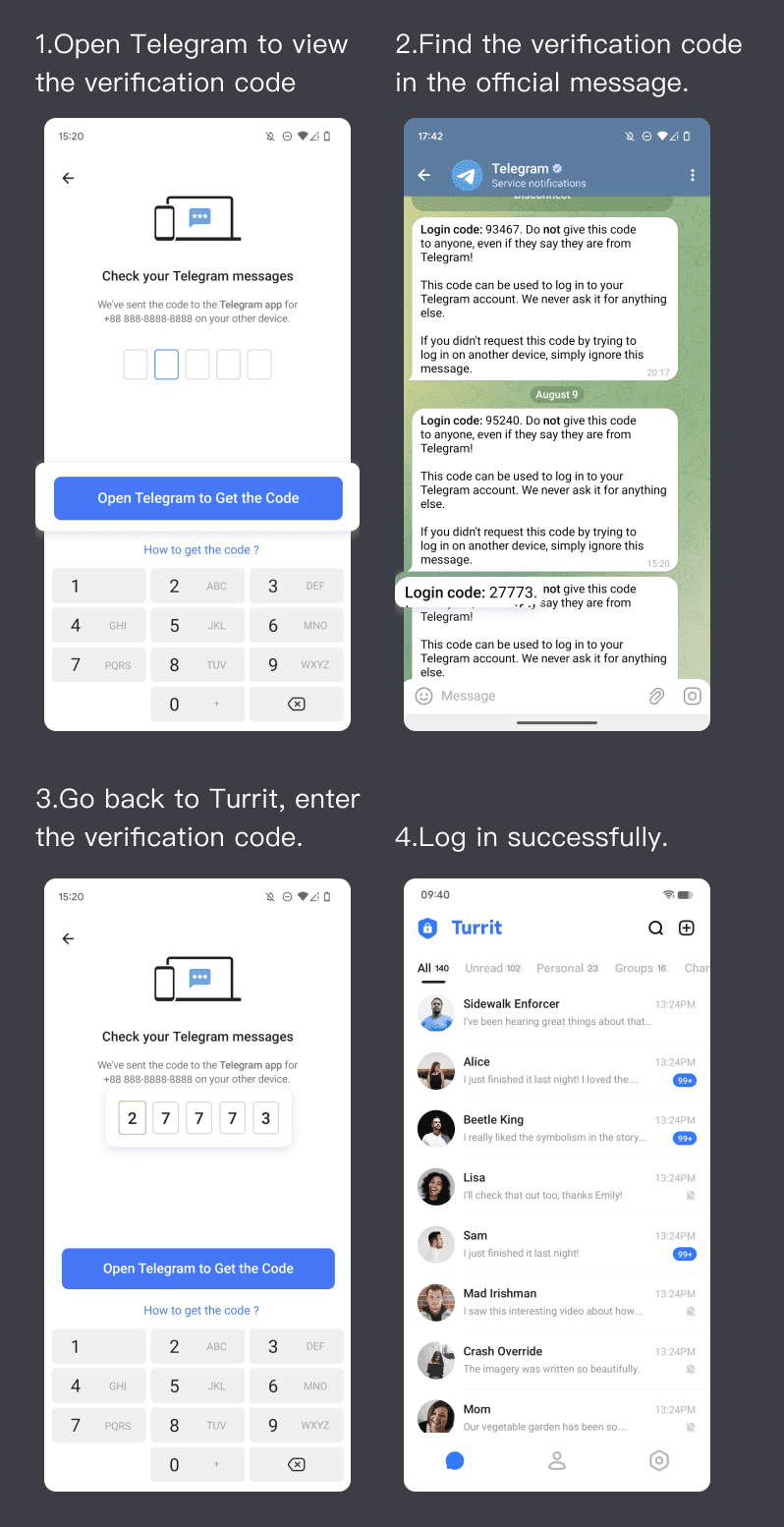
Turrit is a third-party Telegram client that fully protects your privacy and security while providing an enhanced Telegram experience. To use Turrit, you first need a Telegram account. Follow these steps:
Step 1
Open Telegram. If it's not installed, download it from the Google Play/ App Store to continue.
Step 2
Enter your phone number and SMS verification code to log into Telegram. Telegram does not have a separate sign up, your first successful login with a phone number is account registration.
Step 3
Return to Turrit and log in with the phone number you just registered. Follow these steps to log in:
Step 4
Start your secure and smooth chatting journey on Turrit!